
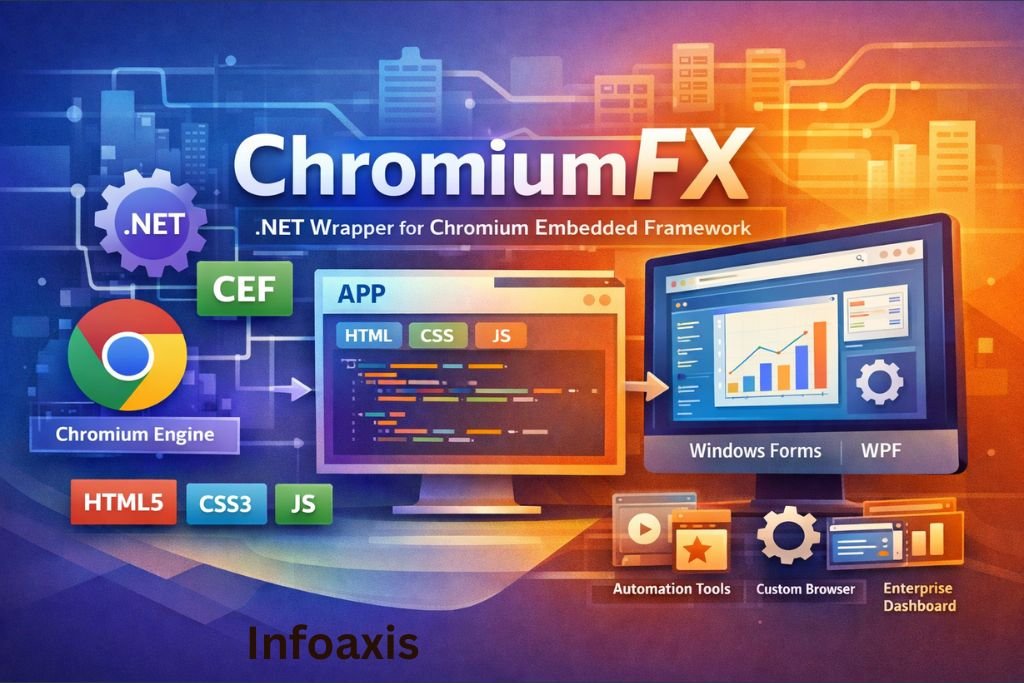
Introduction to ChromiumFX
Modern desktop software increasingly relies on web technologies to deliver flexible, visually rich interfaces. Instead of building user interfaces entirely with traditional desktop frameworks, developers now embed web browsers directly into applications. This approach allows software to use HTML, CSS, and JavaScript while still running as native desktop programs.
ChromiumFX is a framework that makes this possible for developers working with the .NET ecosystem. It enables applications written in languages like C# or VB.NET to integrate the powerful Chromium browser engine directly into desktop applications.
By acting as a bridge between .NET applications and the Chromium browser engine, ChromiumFX allows developers to create hybrid applications that combine the performance of native software with the flexibility of web technologies.
What is ChromiumFX?
ChromiumFX is an open-source .NET wrapper for the Chromium Embedded Framework (CEF). It allows developers to embed a fully functional Chromium-based browser into desktop applications built using .NET technologies.
Instead of using outdated embedded browser controls, ChromiumFX provides access to the same rendering engine used in modern browsers. This enables applications to support advanced web standards and modern JavaScript frameworks.
Key Characteristics of ChromiumFX
- Integrates the Chromium browser engine inside desktop applications
- Designed specifically for .NET development environments
- Supports modern web technologies such as HTML5 and CSS3
- Provides extensive control over browser behavior and lifecycle
- Enables communication between web interfaces and native code
This combination allows developers to build powerful hybrid applications with modern web-based interfaces.
Understanding the Chromium Embedded Framework (CEF)
To understand ChromiumFX, it is important to understand the framework it relies on.
The Chromium Embedded Framework (CEF) is an open-source project designed to allow applications to embed Chromium browsers within software environments. It provides an API that developers can use to control browser behavior while maintaining access to the full capabilities of the Chromium engine.
How CEF Works
CEF functions as an intermediary layer between the Chromium browser engine and the host application. It provides tools for:
- Browser rendering
- JavaScript execution
- Network management
- Resource handling
- Browser lifecycle management
ChromiumFX serves as a .NET binding for CEF, allowing developers to access these capabilities through managed .NET code.
Architecture of ChromiumFX
ChromiumFX operates through a layered architecture that connects .NET applications with the Chromium engine.
Main Components
- Chromium Engine
- Chromium Embedded Framework (CEF)
- ChromiumFX .NET Wrapper
- Desktop Application
Each layer plays a specific role in delivering a fully functional browser environment within a native application.
Chromium Engine
The Chromium engine is responsible for rendering web content, executing JavaScript, handling networking tasks, and providing the core browser functionality.
Chromium Embedded Framework
CEF exposes the Chromium engine through a programmable interface that applications can use to embed browser instances.
ChromiumFX Wrapper
ChromiumFX converts CEF functionality into .NET-compatible APIs, allowing developers to control browser features using familiar programming languages such as C#.
Multi-Process Architecture
One of the most important aspects of ChromiumFX is that it inherits the multi-process architecture of Chromium.
Benefits of Multi-Process Design
Modern browsers separate tasks into multiple processes to improve stability and performance.
Rendering Process
Handles HTML rendering, CSS processing, and layout calculations.
JavaScript Process
Executes scripts and manages JavaScript environments.
GPU Process
Handles graphics acceleration and rendering tasks.
Network Process
Manages network requests, downloads, and resource loading.
This architecture ensures that crashes in one process do not affect the entire application.
Key Features of ChromiumFX
ChromiumFX offers a wide range of features that make it suitable for advanced desktop applications.
Embedded Chromium Browser
Developers can embed a full browser environment directly inside desktop applications.
Support for Modern Web Technologies
ChromiumFX supports the latest web standards, including:
- HTML5
- CSS3
- JavaScript
- Web APIs
- WebGL
- WebAssembly
JavaScript and .NET Communication
ChromiumFX allows direct communication between web-based user interfaces and native .NET application logic.
This makes it possible to:
- Execute JavaScript from C#
- Call C# methods from JavaScript
- Transfer data between application layers
Advanced Browser Control
Developers can intercept and control many browser behaviors, including:
- URL requests
- Page navigation
- resource loading
- custom protocols
Integration with Desktop Frameworks
ChromiumFX can be integrated into common .NET UI frameworks, such as:
- Windows Forms
- Windows Presentation Foundation (WPF)
How ChromiumFX Enables Hybrid Desktop Applications
Hybrid applications combine the flexibility of web interfaces with the performance of native desktop software.
Web-Based User Interfaces
Instead of designing interfaces using traditional UI controls, developers can build interfaces using:
- HTML layouts
- CSS styling
- JavaScript frameworks
This approach allows the use of modern front-end technologies such as React, Angular, or Vue.
Native Application Logic
The application itself still runs as a native program, meaning it can:
- Access local files
- Interact with hardware
- perform complex computations
- integrate with operating system features
ChromiumFX acts as the bridge connecting these two worlds.
Common Use Cases of ChromiumFX
ChromiumFX is widely used in situations where applications require a modern web interface but still need native functionality.
Enterprise Software
Organizations often build internal tools with dynamic dashboards and data visualization.
ChromiumFX enables these tools to use advanced web interfaces without requiring a web browser.
Data Visualization Platforms
Applications that display large datasets or interactive charts can benefit from web-based visualization libraries.
Development Tools
Some software development tools integrate web-based interfaces for debugging, monitoring, and reporting.
Custom Browsers
Developers may build specialized browsers designed for internal use or controlled environments.
Automation Tools
ChromiumFX can be used to automate browser tasks such as testing or web interaction.
Advantages of Using ChromiumFX
Modern User Interface Capabilities
By embedding Chromium, applications gain access to modern web design capabilities.
High Performance
Since ChromiumFX uses the Chromium engine directly, performance remains close to that of modern browsers.
Cross-Technology Development
Developers can combine web development skills with traditional software development.
Full Browser Control
ChromiumFX allows deep customization of browser behavior, giving developers significant control over application functionality.
Limitations and Challenges
While ChromiumFX offers many benefits, developers should also consider some potential limitations.
Large Application Size
Because the Chromium runtime must be distributed with the application, installation packages may become relatively large.
Maintenance and Updates
Chromium evolves rapidly, and keeping embedded browser frameworks updated can require additional maintenance effort.
Learning Curve
Developers must understand both web technologies and native application development.
ChromiumFX Compared to Other Technologies
Several frameworks provide similar functionality for embedding web browsers in applications.
ChromiumFX vs CefSharp
Both frameworks provide .NET bindings for the Chromium Embedded Framework.
However, community adoption and documentation may differ depending on the project.
ChromiumFX vs Electron
Electron uses Chromium and Node.js to build desktop applications entirely with JavaScript.
ChromiumFX, on the other hand, is designed specifically for .NET-based applications.
ChromiumFX vs WebView2
WebView2 uses the Microsoft Edge browser engine and integrates tightly with Windows systems.
ChromiumFX provides deeper control over the Chromium engine itself.
When Should Developers Use ChromiumFX?
ChromiumFX is most useful in scenarios where developers want to combine modern web interfaces with native .NET applications.
Ideal Situations
- Applications requiring dynamic web dashboards
- Software with complex user interfaces
- Desktop tools built using web technologies
- Enterprise software platforms
In these cases, ChromiumFX provides a powerful solution for bridging web and desktop environments.
Future Outlook of Chromium-Based Embedded Frameworks
Embedded browser technology continues to evolve as modern software increasingly integrates web technologies.
Frameworks like ChromiumFX demonstrate how traditional desktop software can adapt to modern UI trends while maintaining the benefits of native execution.
As hybrid development models grow in popularity, tools that combine web rendering engines with native frameworks will likely remain important for software developers.
Read More : What Is Labarty
Read More : Why immorpos35.3 Software Implementations Fail













Leave a Reply